Improving shopper experience across 2M+ product listings on Amazon
Used AI to find and fix 2M+ Home & Kitchen listings that were hard to search or didn’t match the product, so shoppers could find the right item and get what they expected.
Senior Vendor Manager · Home & Kitchen2020 – 2021
Outcomes
- item data quality score
- 69% → 98%
- Seasonal Home Decor and Event & Party Supplies
- product listings fixed with AI
- 2M+
- Seasonal Home Decor and Event & Party Supplies
- Walk the Store
- Award
- Home & Kitchen, for “relentlessly see through customer problems”
How it fit together
01 · Flag
Three ways to spot a bad page
AI flags on top-revenue products, customer returns and complaints, and walking the store myself
02 · Diagnose
Find the gap
Can shoppers find it? Does the page match the product that arrives?
03 · Fix
Rewrite the listing
Titles, images, attributes, bullets, and keywords, with the vendor or directly
04 · Scale
Hunt the pattern
Search the catalog for the same defect and fix every listing that has it
Context
On Amazon, a product page has two jobs. It has to show up when a shopper searches, and it has to describe the product that actually arrives. As a Senior Vendor Manager in Home & Kitchen, I owned two categories, Seasonal Home Decor and Event & Party Supplies, and I treated the pages of their top-selling products as part of my P&L, because that is where most customers land.
Challenge
Many top-revenue products had thin or inaccurate pages. Short titles left out the words shoppers search for, attributes were missing, and some pages promised something the product wasn’t. The result was lost traffic for products customers would have bought, and returns from customers who got something other than what they expected.
Approach & key decisions
Let AI pick where to look
Step 1I used AI to flag listings in my categories with poor searchability or a weak page, starting with top-revenue products, and fixed 2M+ product listings this way.
Rewrite pages for search and for clarity
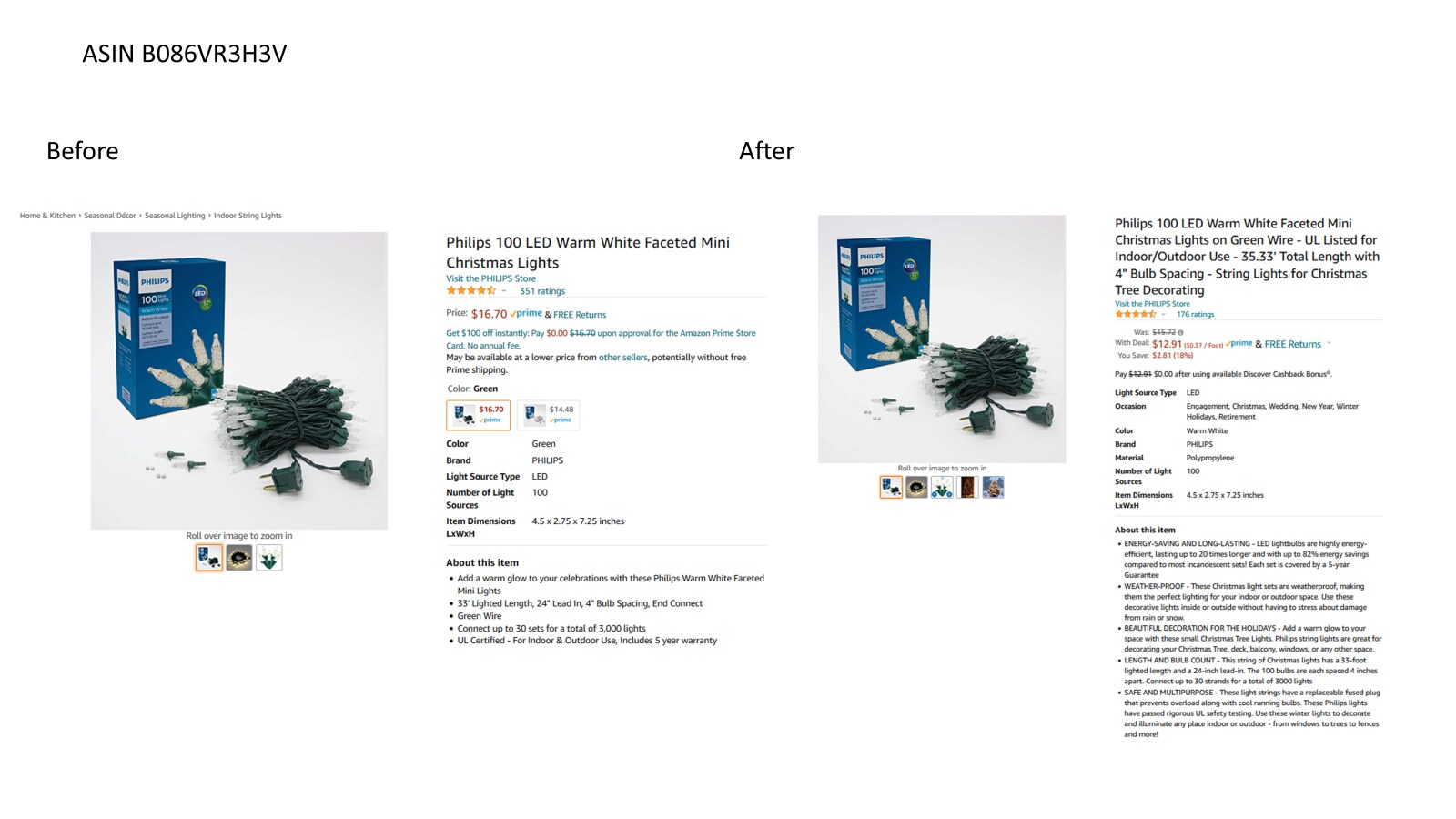
Step 2I rebuilt titles, images, attributes, bullets, and keywords. For a set of Philips Christmas lights, the title went from “Faceted Mini Christmas Lights” to one that names the green wire, indoor/outdoor UL listing, total length, and bulb spacing: the details shoppers search and filter on.
Read returns for broken promises
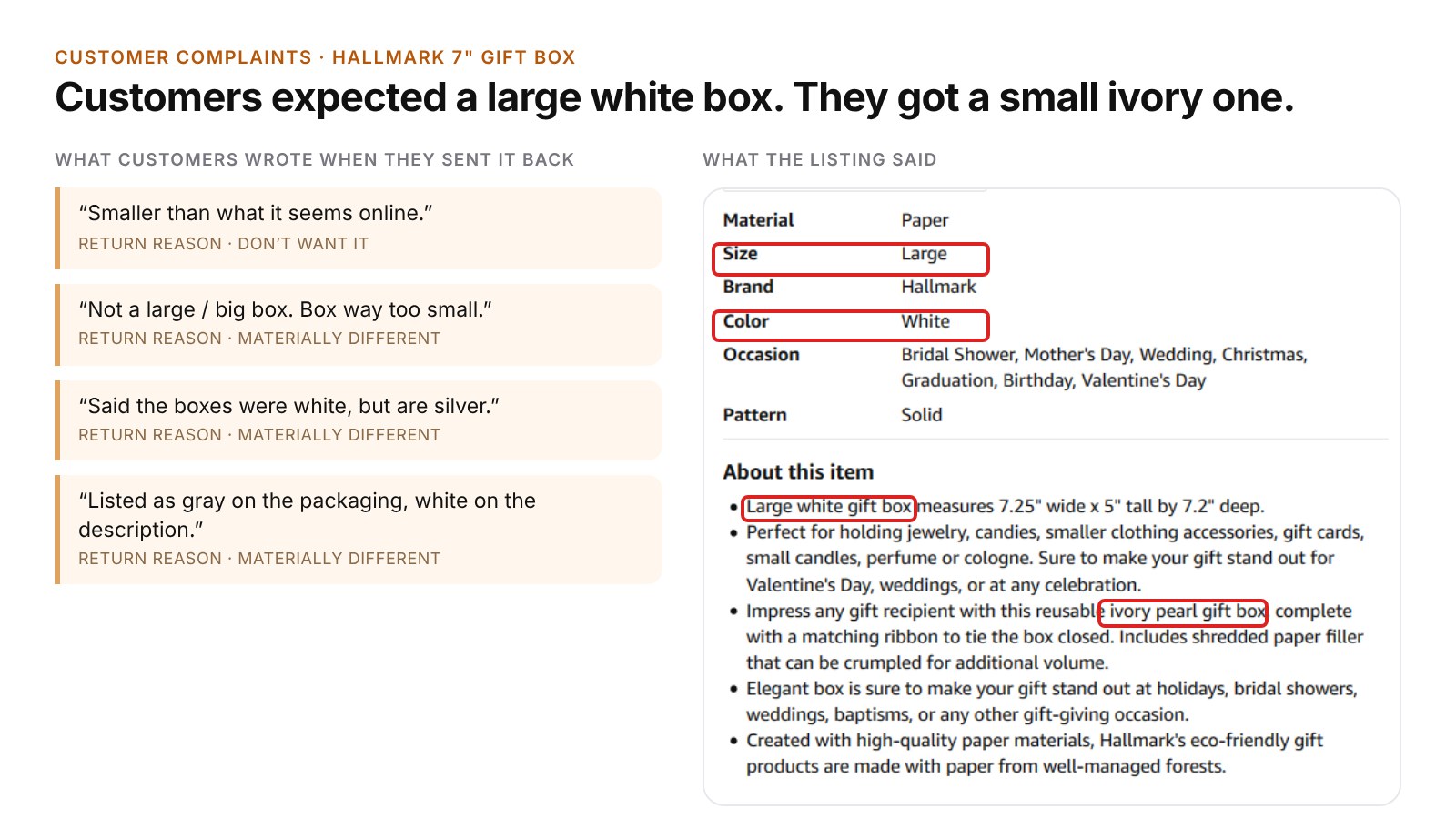
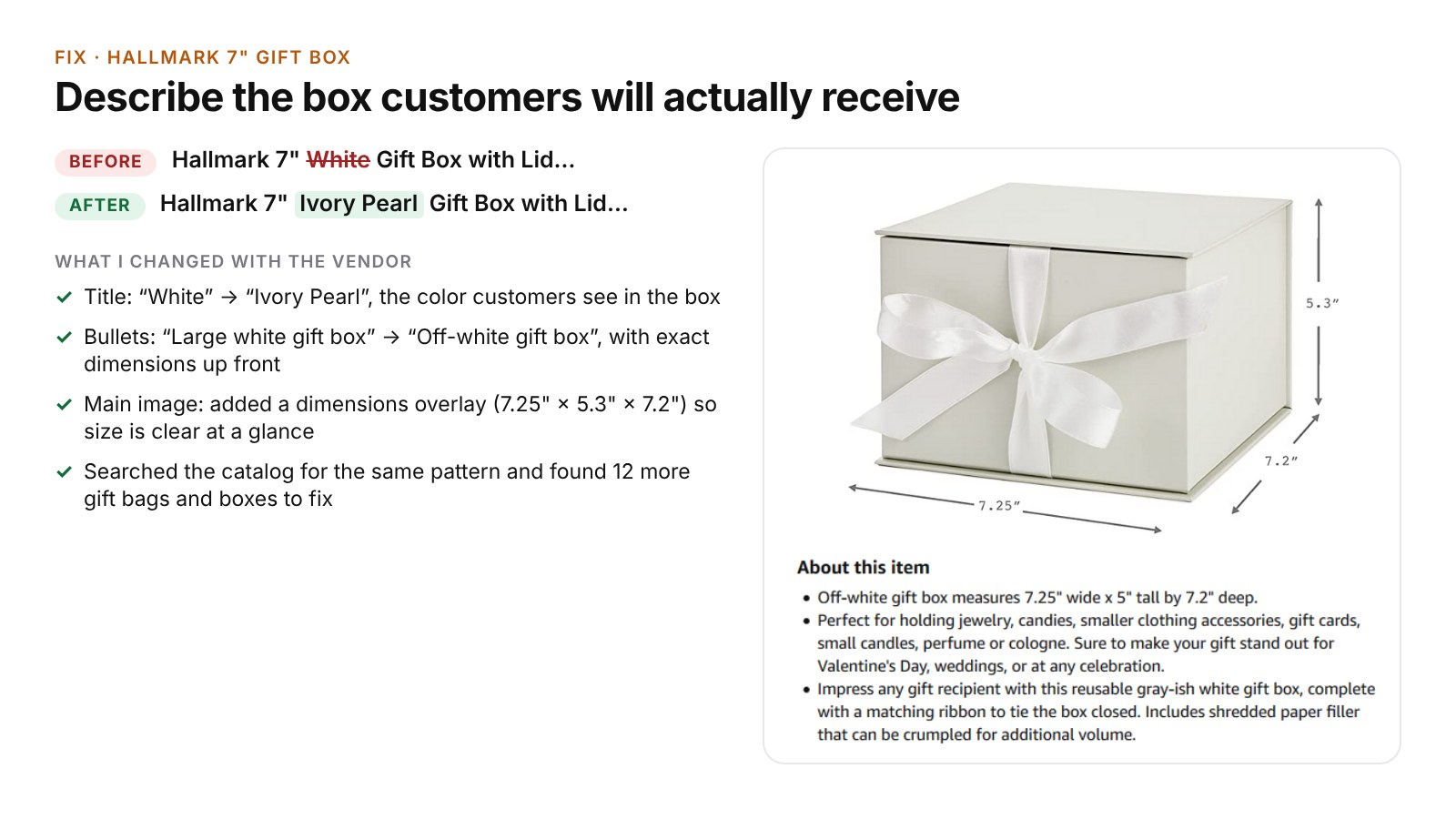
Step 3I read customer complaints and return comments to find gaps between what a page promised and what arrived. A Hallmark gift box listed as “large” and “white” was in fact 7.25 inches wide and ivory. I worked with the vendor to name the real color, put exact dimensions in the title, bullets, and main image, then found 12 more gift boxes and bags with the same problem.
Walk the store every week
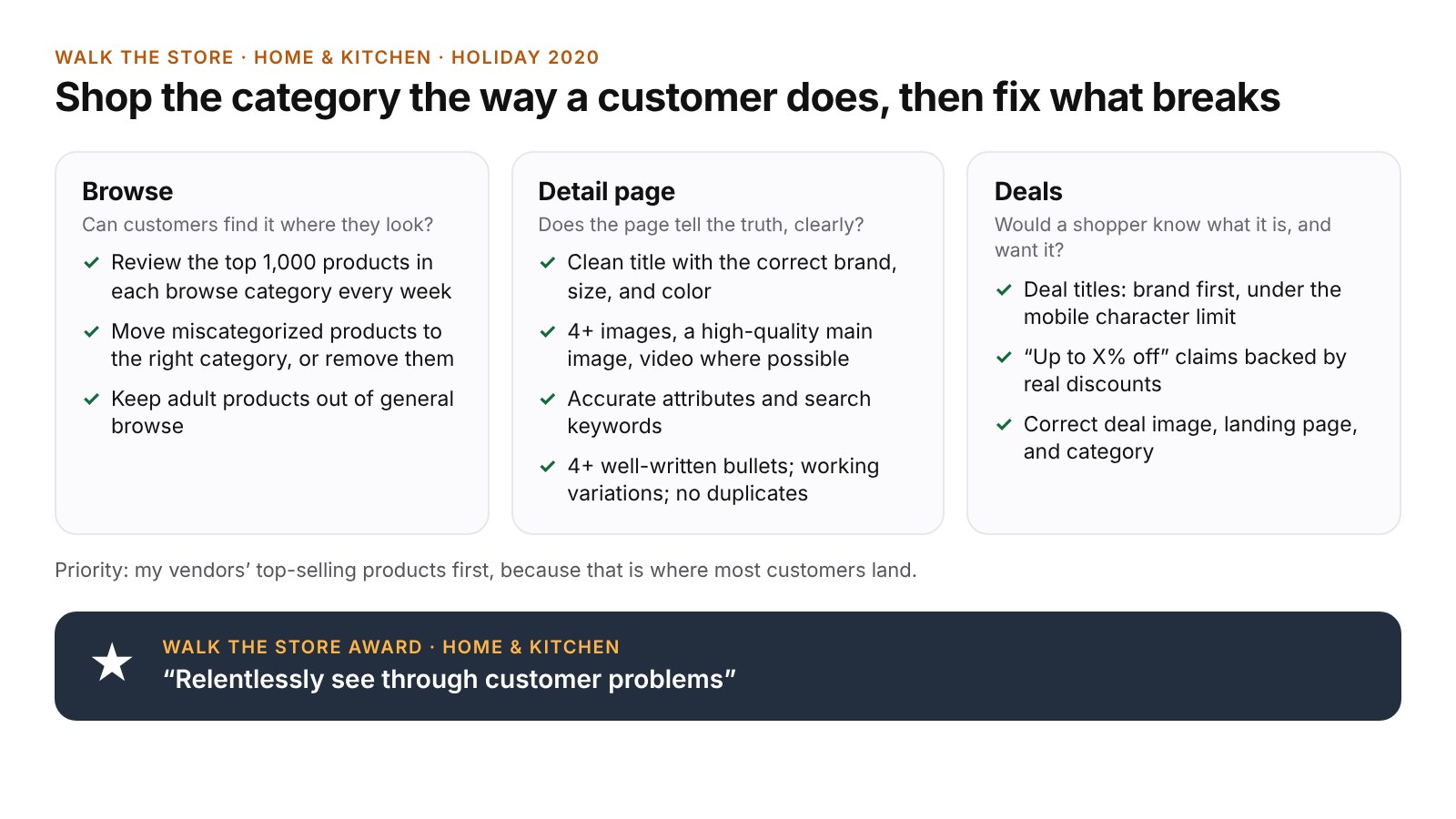
Step 4I regularly shopped my categories the way a customer would. In browse, I reviewed the top products in each category and moved the miscategorized ones. On detail pages, I checked titles, images, attributes, bullets, variations, and duplicates. On deals, I checked copy, images, landing pages, and categories.
Work sample
Before and after: two product pages and a checklist
Two pages I fixed, and the Walk the Store checklist I used every week. The slides are my summaries, built from my original work. Amazon-internal data and tools are left out.
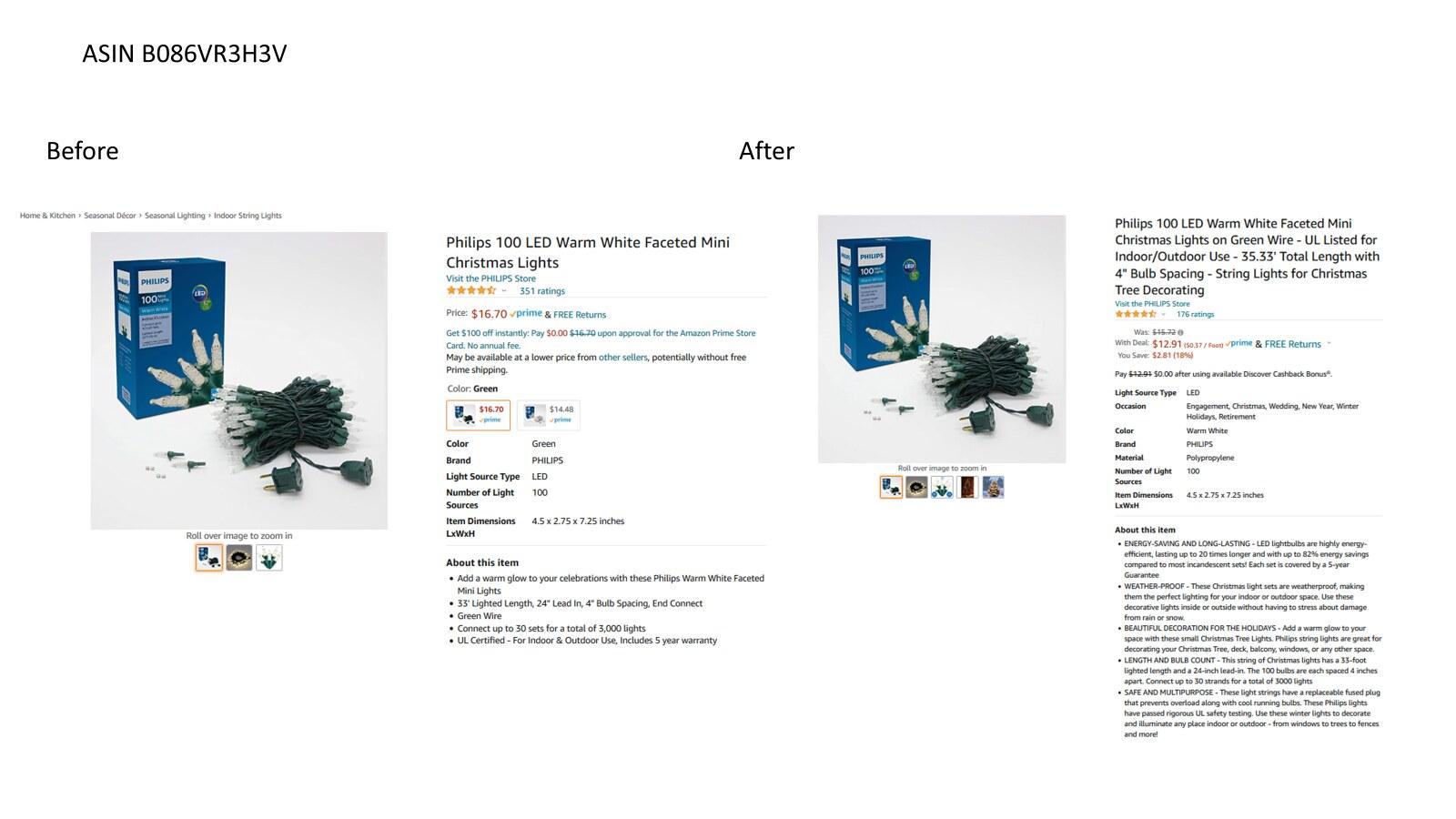
Searchability: a top seller’s page, rebuilt 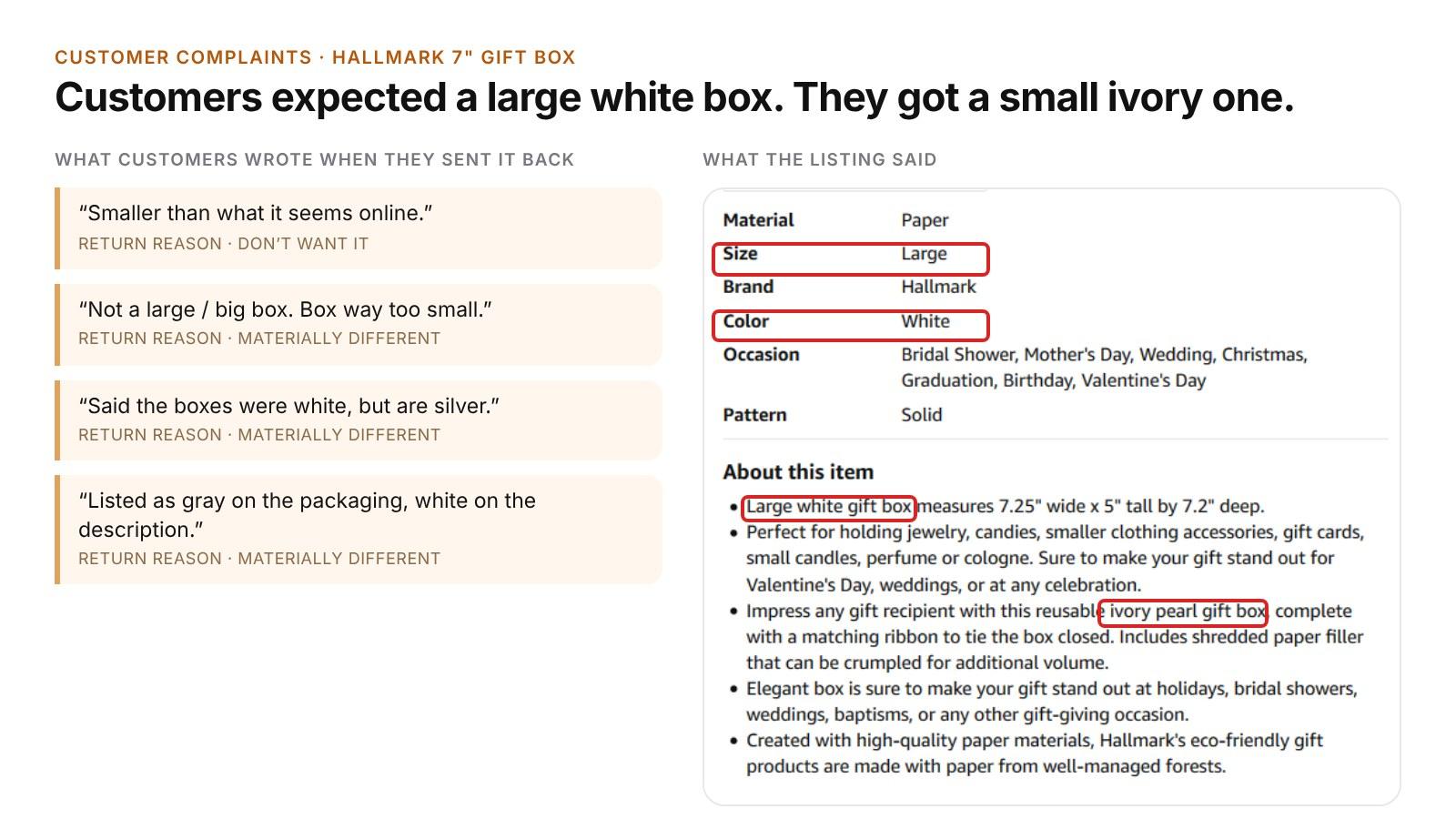
Returns showed the page broke a promise 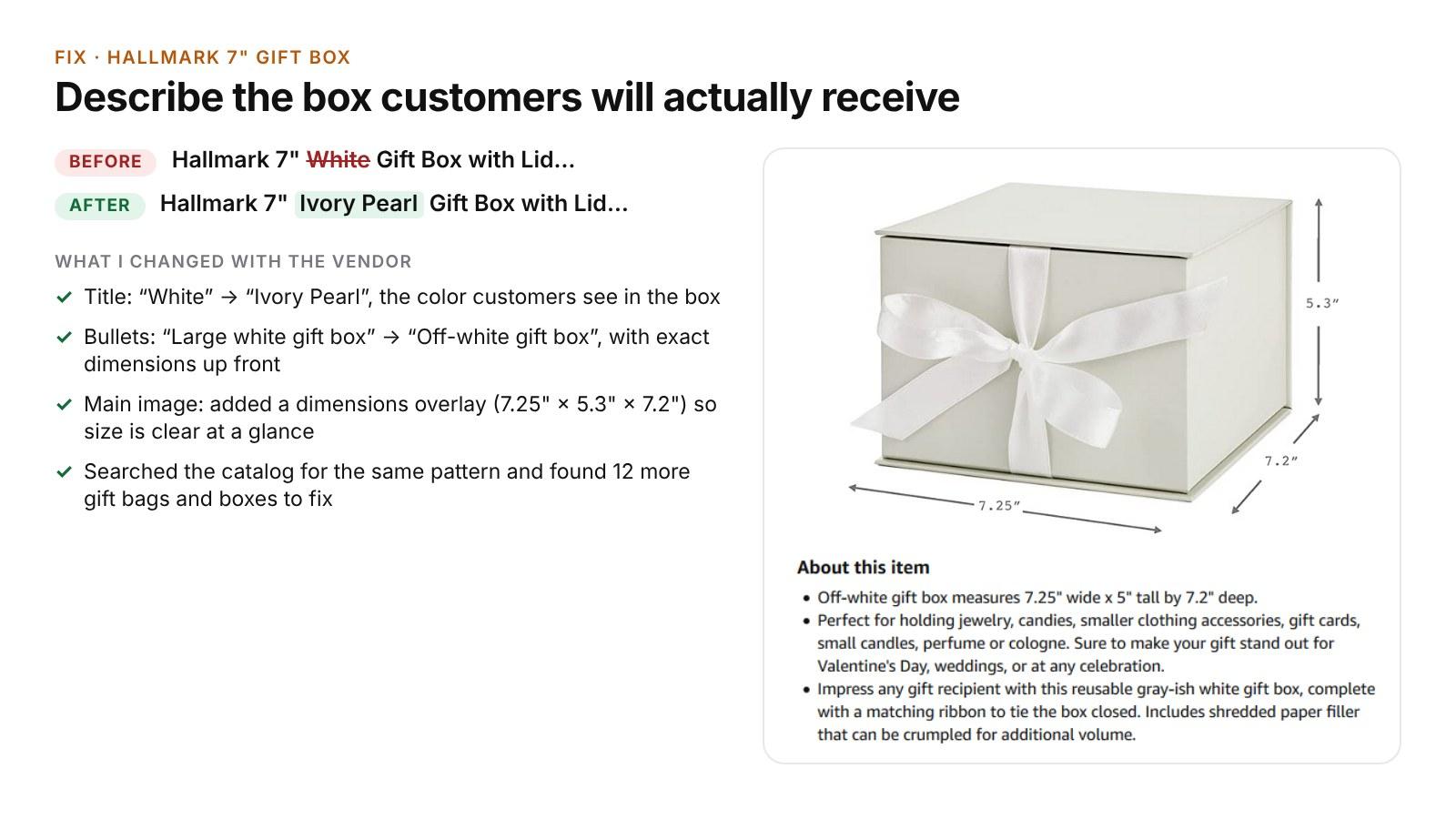
The fix, then 12 more listings like it 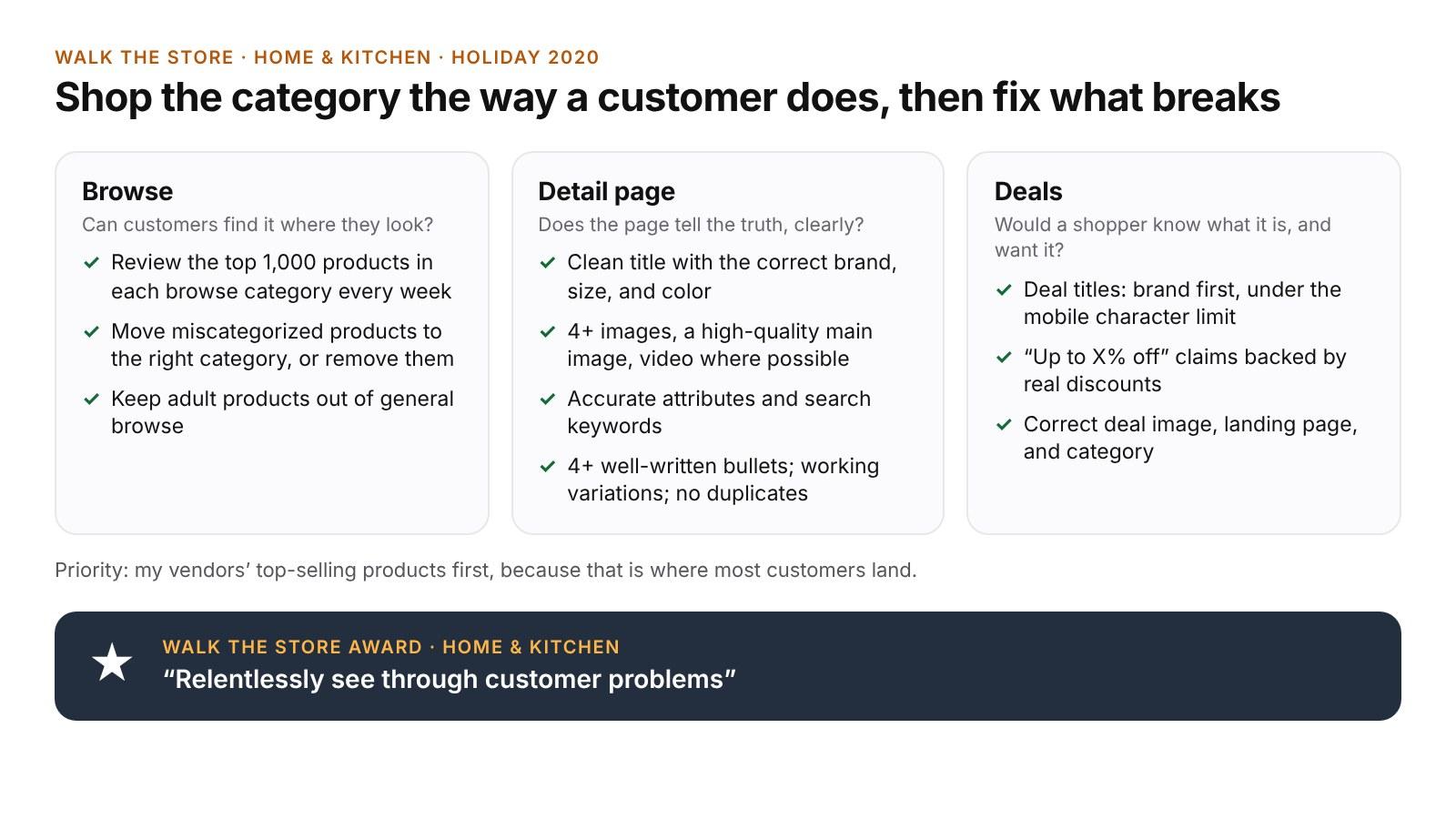
What I checked when I walked the store
Execution & collaboration
- Worked with vendors to update titles, descriptions, and images, and made catalog fixes directly where I could.
- Started with top sellers in every review, so each fix reached as many customers as possible.
- Set up tracking of reviews and returns for the months after each fix, to check that complaints fell.
- Planned an analysis of how many Home & Kitchen listings had the same color or size mismatch, to decide whether to ask the product and computer vision teams for automatic detection.