AI Storybook: a picture book that stars your child
A side project I led end to end with a team of 4: a personalized storybook service where parents choose what the story should teach, and AI writes and illustrates an 8-spread book starring their child in about 10 minutes.
Product Lead · Side project2026
Outcomes
- person team
- 4
- Led end to end as Product Lead
- to a finished book
- ~10 min
- Fast preview images in ~3 min, better detail in ~8 min
- generation cost
- ~$0.42
- Per book, text and illustrations
- illustrated spreads
- 8
- Per book, one character sheet and style
- story purposes + library titles
- 6 + 12
- Ages 2–10 in the library
- languages
- 3
- English, Vietnamese, and Spanish
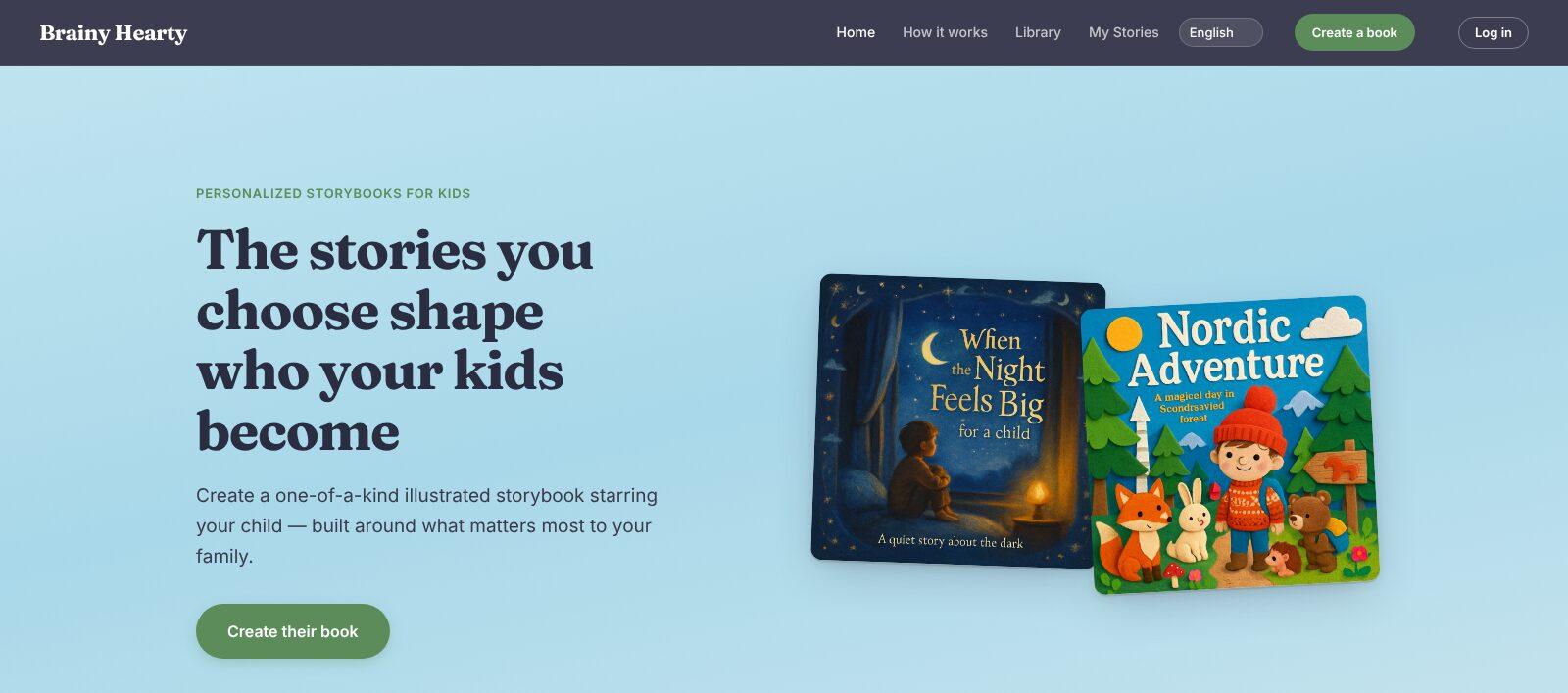
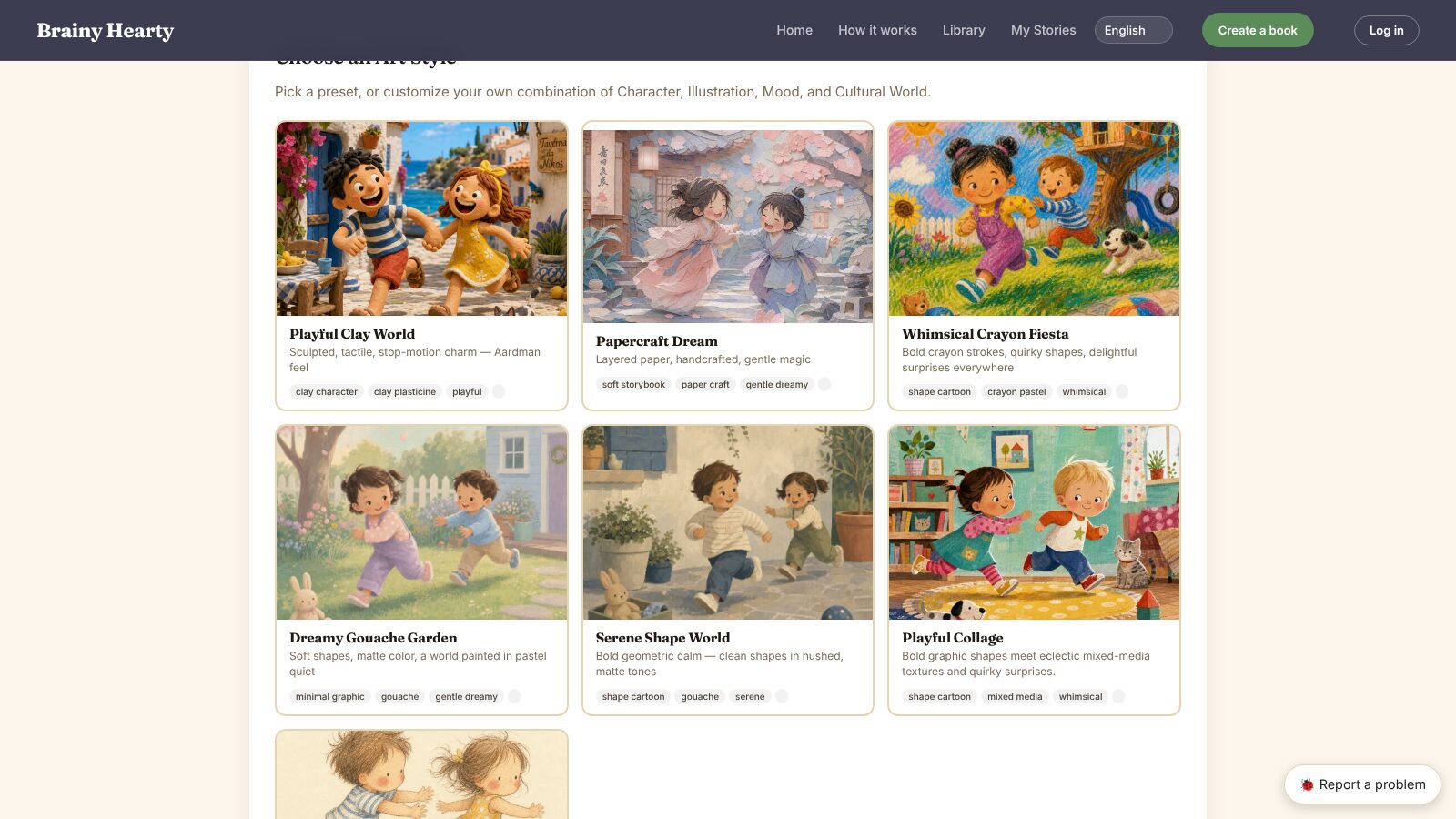
Choosing an art style
Context
AI Storybook is a side project and Brainy Hearty’s personalized storybook service for kids, now in early private beta. Parents create a one-of-a-kind illustrated book starring their child, built around what matters most to their family, then read it on screen, edit it, or download a print-ready PDF, in English, Vietnamese, or Spanish. As Product Lead, I led a team of 4 to build it end to end: product vision, user research, roadmap and MVP, content and art standards, and design.
Challenge
Parents often want a story for a specific moment: the first day of preschool, a new sibling, a fear of the dark, or a family heritage they can’t find on the bookshelf. Store-bought books can’t star their child or say exactly what they need to hear. Generative AI can write and illustrate a book on demand, but out of the box it breaks the things a picture book depends on: the child and the world around them change from page to page, and words drawn inside an illustration often come out misspelled. On top of that, each book had to stay cheap to make, keep parents in control, and handle children’s details with care.
Approach & key decisions
Set the vision: purpose first, child as hero
Step 1I set the product vision around one idea: the stories you choose shape who your kids become. Every book starts with what the parent wants it to say, framed by six pillars: character and soft skills, culture and the world, milestones and gifting, academic and curriculum, identity and representation, and life skills and habits.
Interview users to map the journey
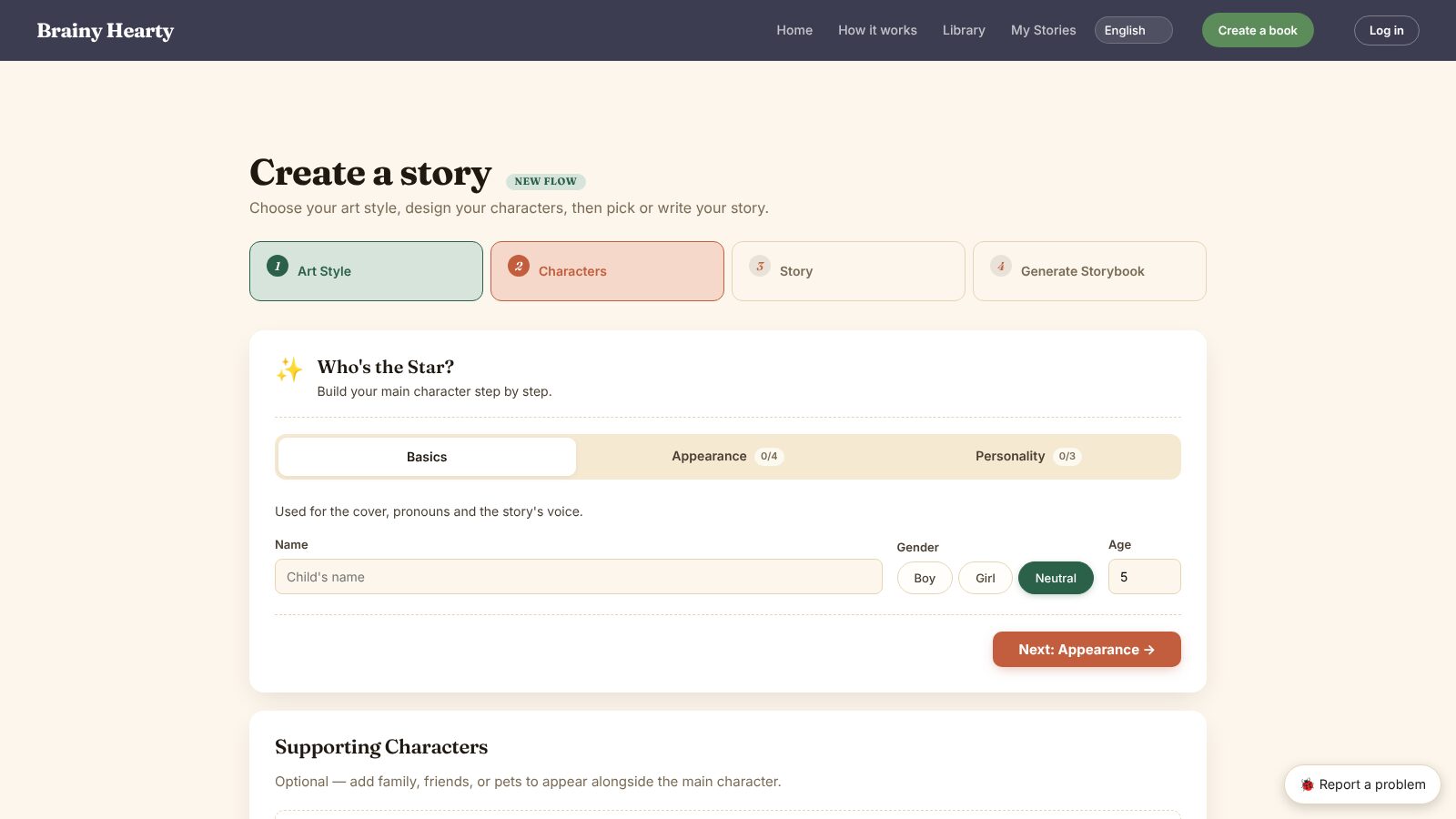
Step 2I interviewed users and mapped their journey from wanting a book to having one on the shelf, and designed the flow around it: 4 steps (art style, characters, story, generate), with parent control where it matters: reading and editing the story before anything is illustrated, previewing characters, and fixing single pages afterward.
Plan the roadmap and cut the MVP
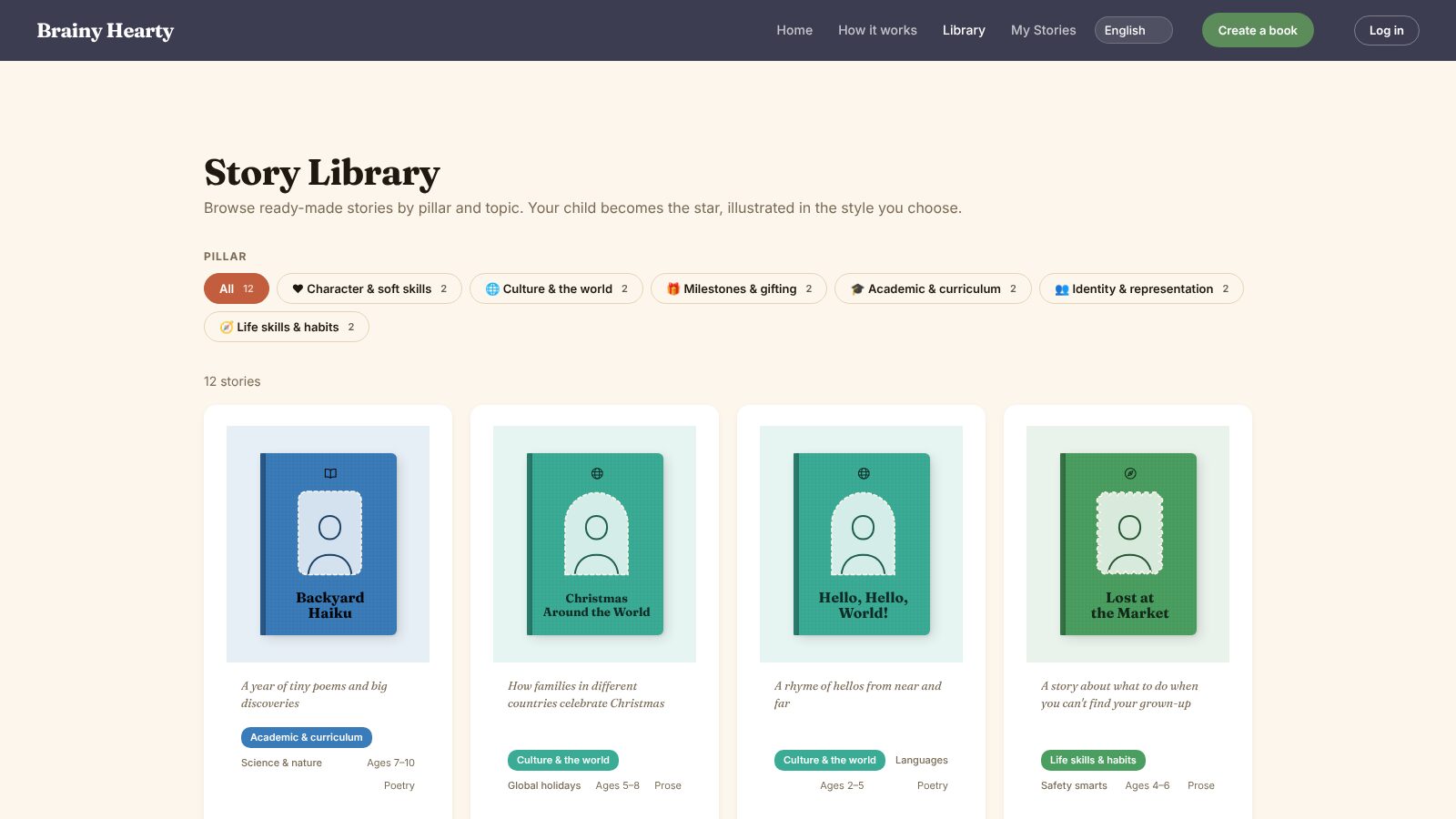
Step 3I planned the roadmap and scoped the MVP to the core loop: set up a story, generate the book, review and edit it, and download a print-ready PDF. A curated library of 12 titles gives parents a fast start, and an invite-only beta lets us learn before scaling.
Write the guidelines and rubrics for content and art
Step 4I set the guidelines and rubrics the team used to judge every story and illustration, so quality was measured against a shared standard rather than personal taste. They are the standard behind the library titles and the art-style presets.
Design with AI
Step 5I designed the product with AI, which let a team of 4 go from idea to a working beta.
AI challenge 1: keeping characters consistent
Step 6Image models redraw a character from scratch on every page, so the child’s face, hair, and outfit drift. We fixed this by building each character once, step by step (basics, appearance, personality), and generating a character reference sheet that every page illustration is drawn from. Parents preview each character in their chosen style before the book is made, so problems surface before 8 spreads are generated.
AI challenge 2: keeping the world consistent
Step 7Backgrounds and art style also shifted page to page. We locked them with a style system: each of the seven presets is a tested combination of character, illustration, mood, and cultural world, and every story carries a shared scene descriptor, derived from the mood, plus the chosen country and time period. All 8 spreads are rendered from the same style and setting.
AI challenge 3: misspelled text in images
Step 8The story text is part of the illustration, and image models often misspell words. We added an automatic text check on every page: pages whose text doesn’t pass are flagged “Text needs a regenerate” with a one-click Regenerate, and the book can’t be downloaded as a PDF until they’re fixed. Parents approve the story text before illustration, so the check has a known-good version to match.
Split the work between two models, within budget
Step 9Claude (Sonnet) writes the story in about 5 seconds; OpenAI’s gpt-image-1 draws the reference sheet and every page. Parents choose a fast preview (about 3 minutes) or better detail (about 8 minutes). A full book takes about 10 minutes and costs about $0.42 to generate.
Earn trust with plain privacy
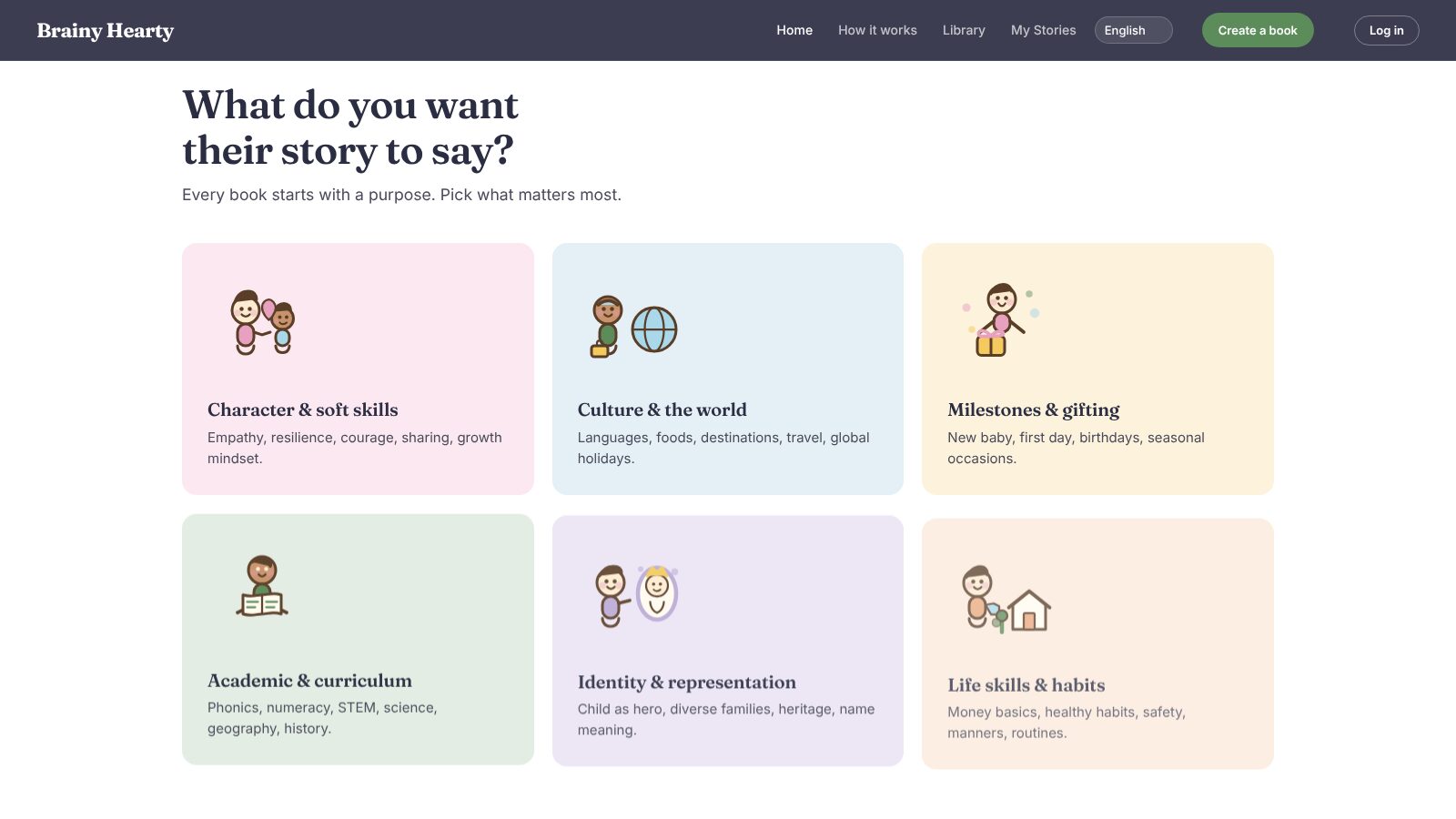
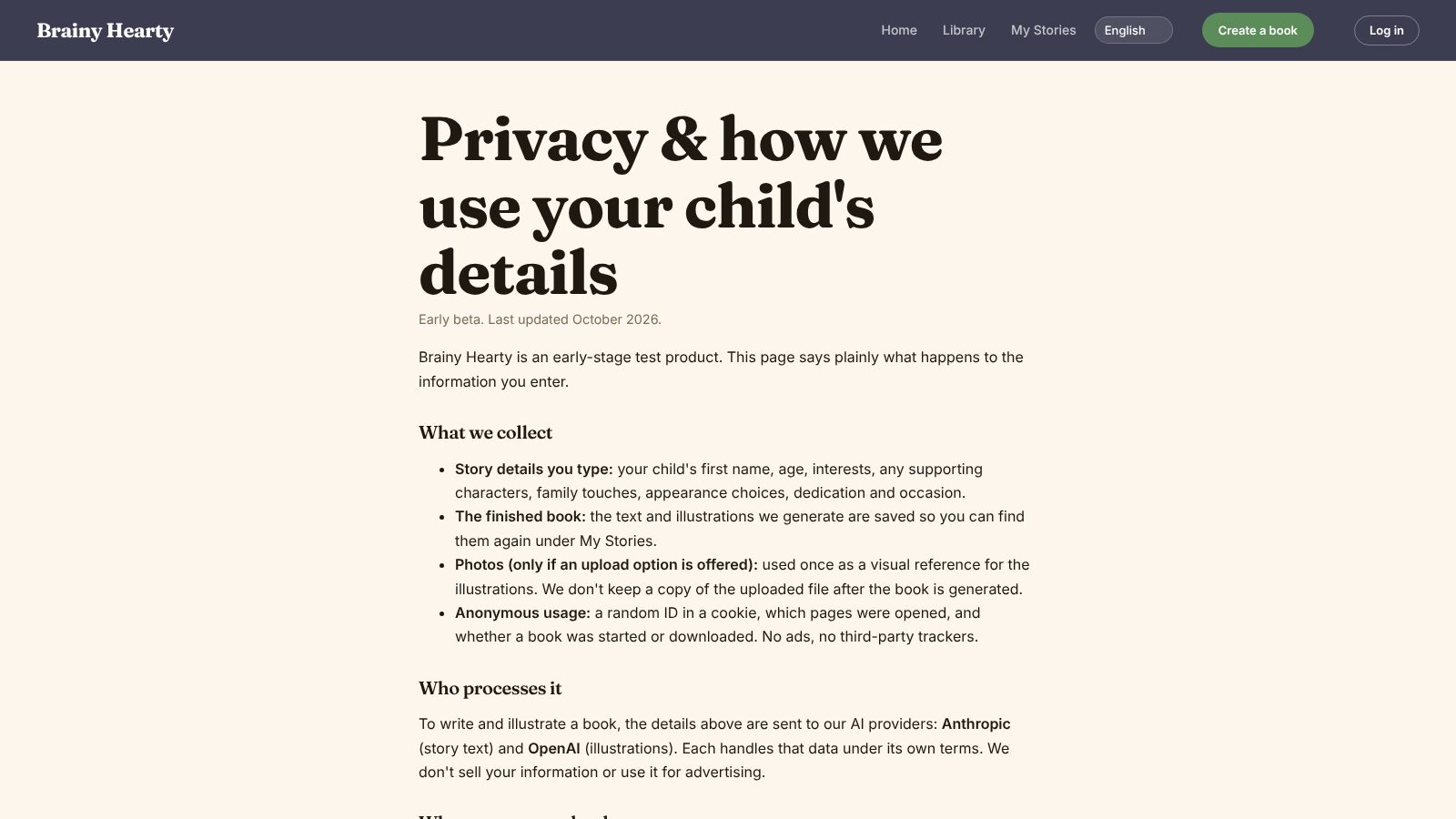
Step 10A plain-language privacy page says what is collected and why: uploaded photos are used once as a visual reference and not kept after the book is generated, there are no ads or third-party trackers, and the service is for parents and guardians, not children on their own.
Work sample
Inside the beta
Screens from the live product, from choosing what the story should say to building the main character.
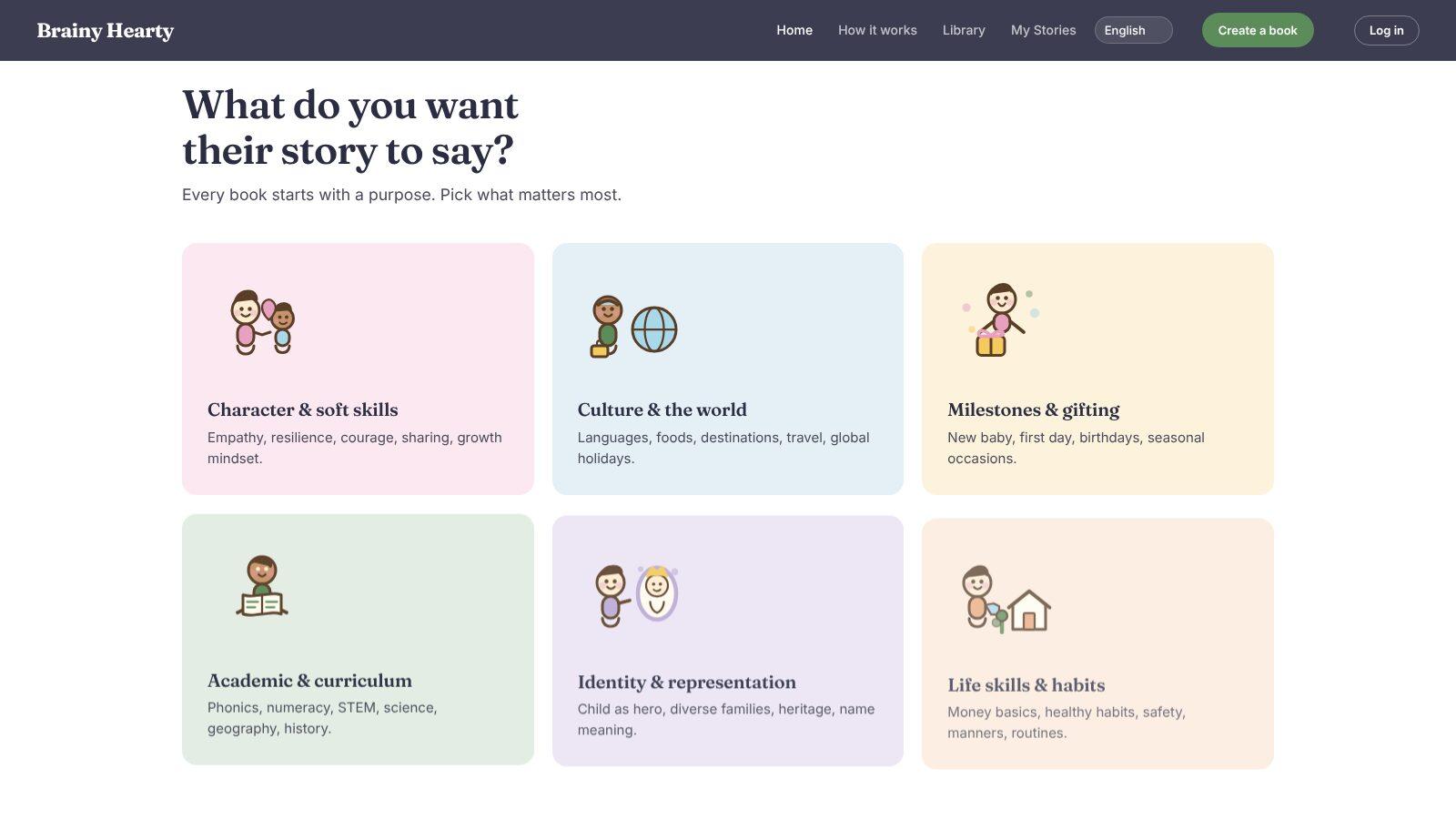
Every book starts with a purpose 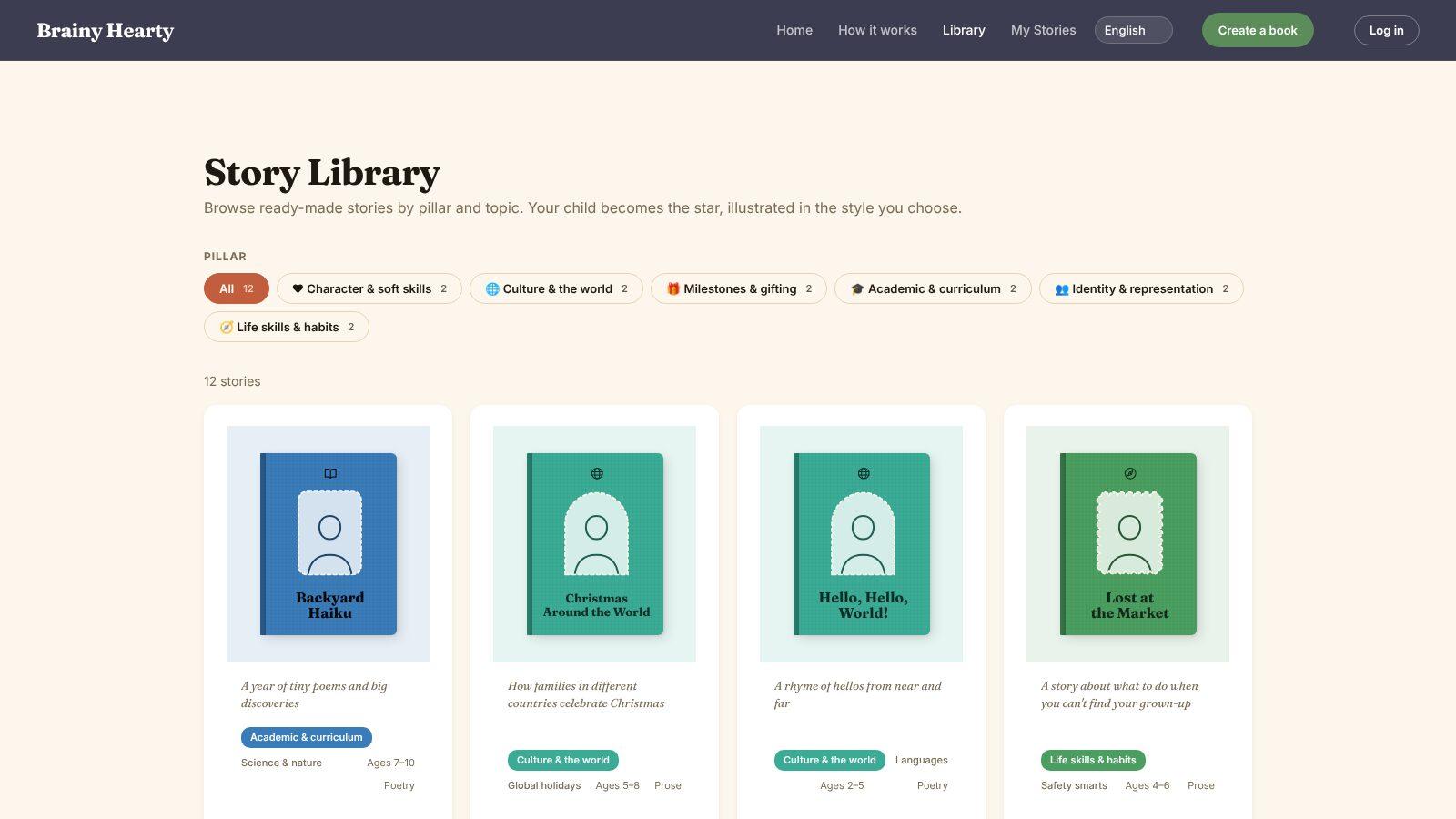
A library of 12 ready-made stories 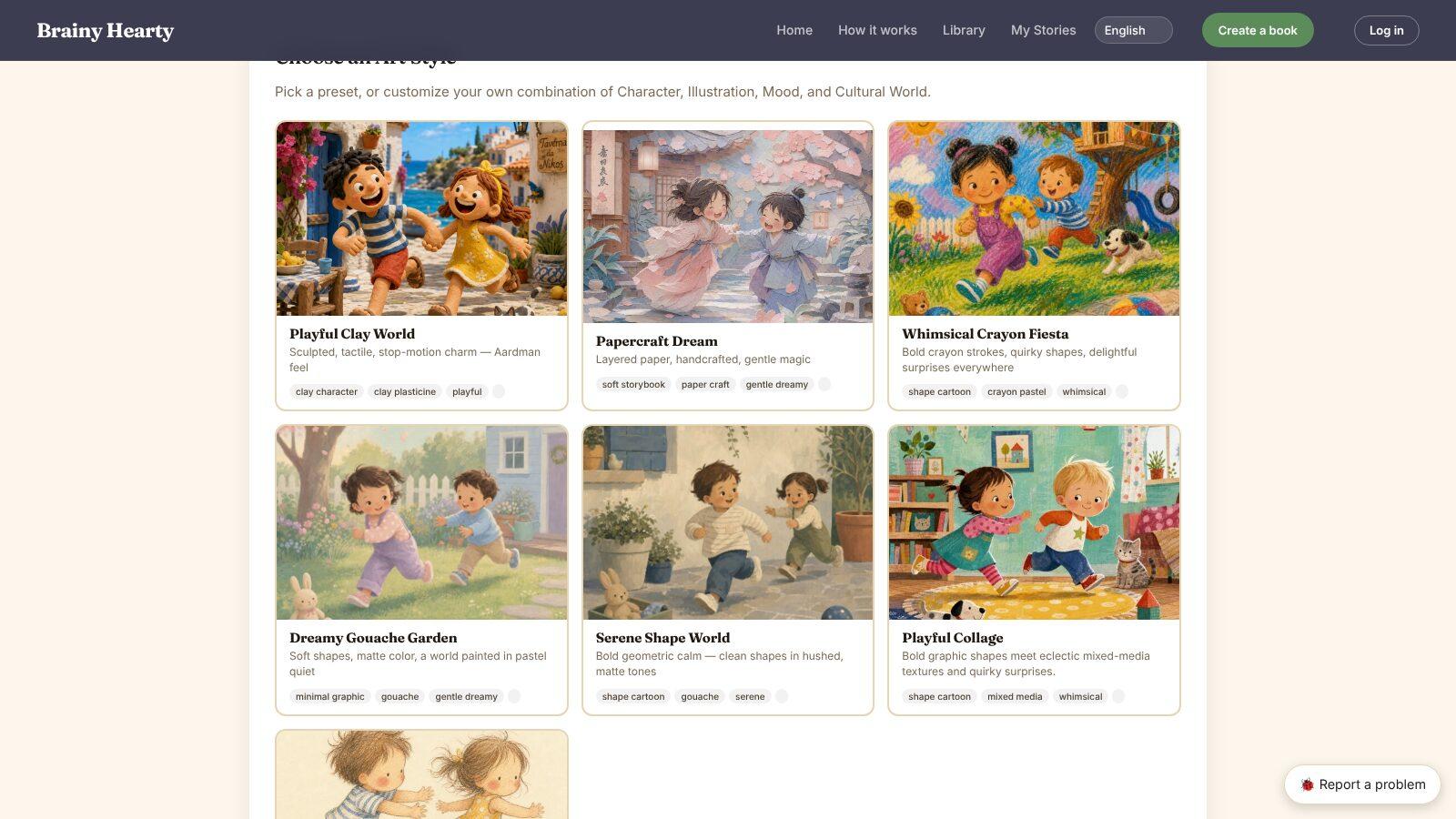
Step 1: choose an art style 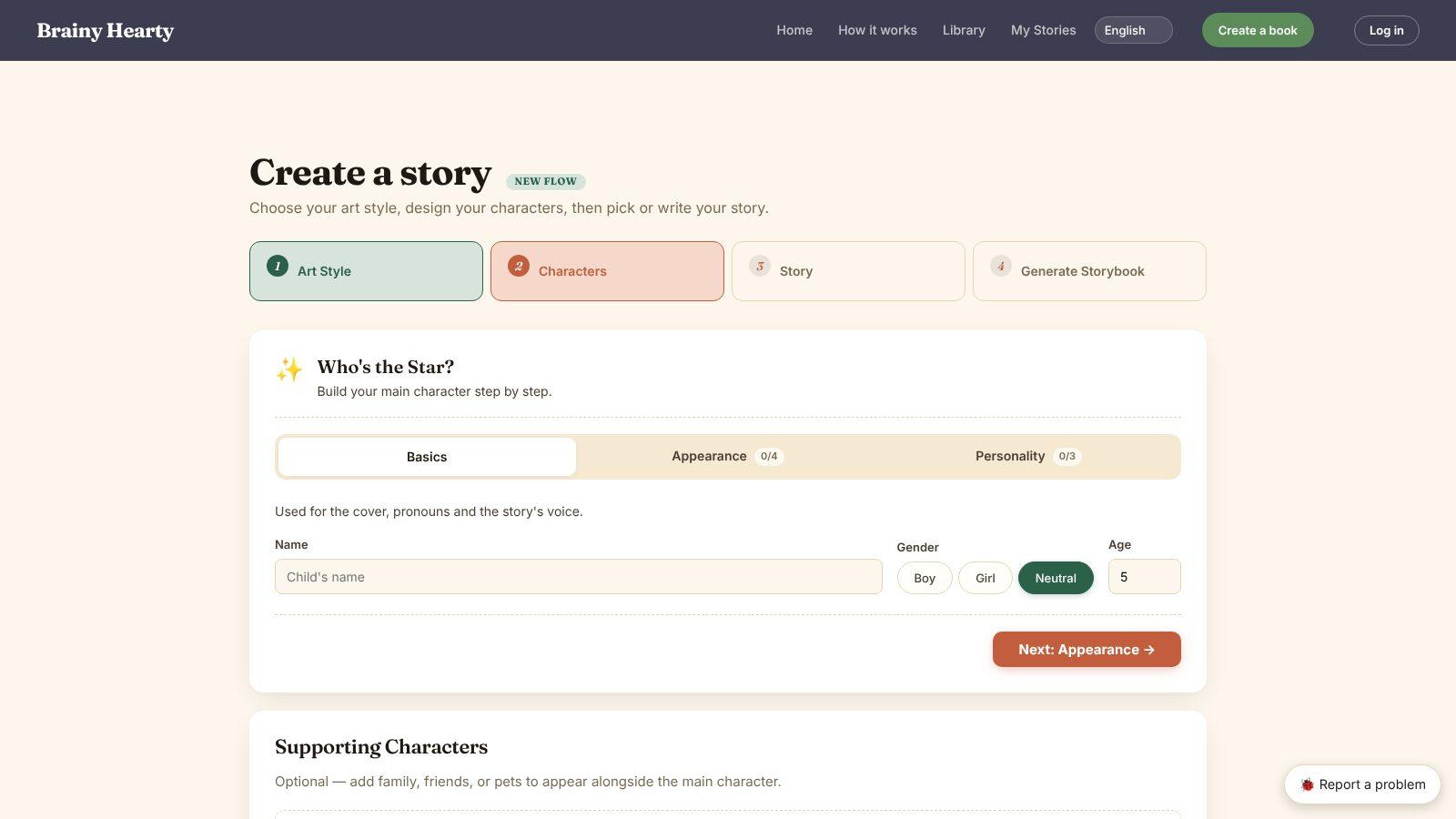
Step 2: build the main character 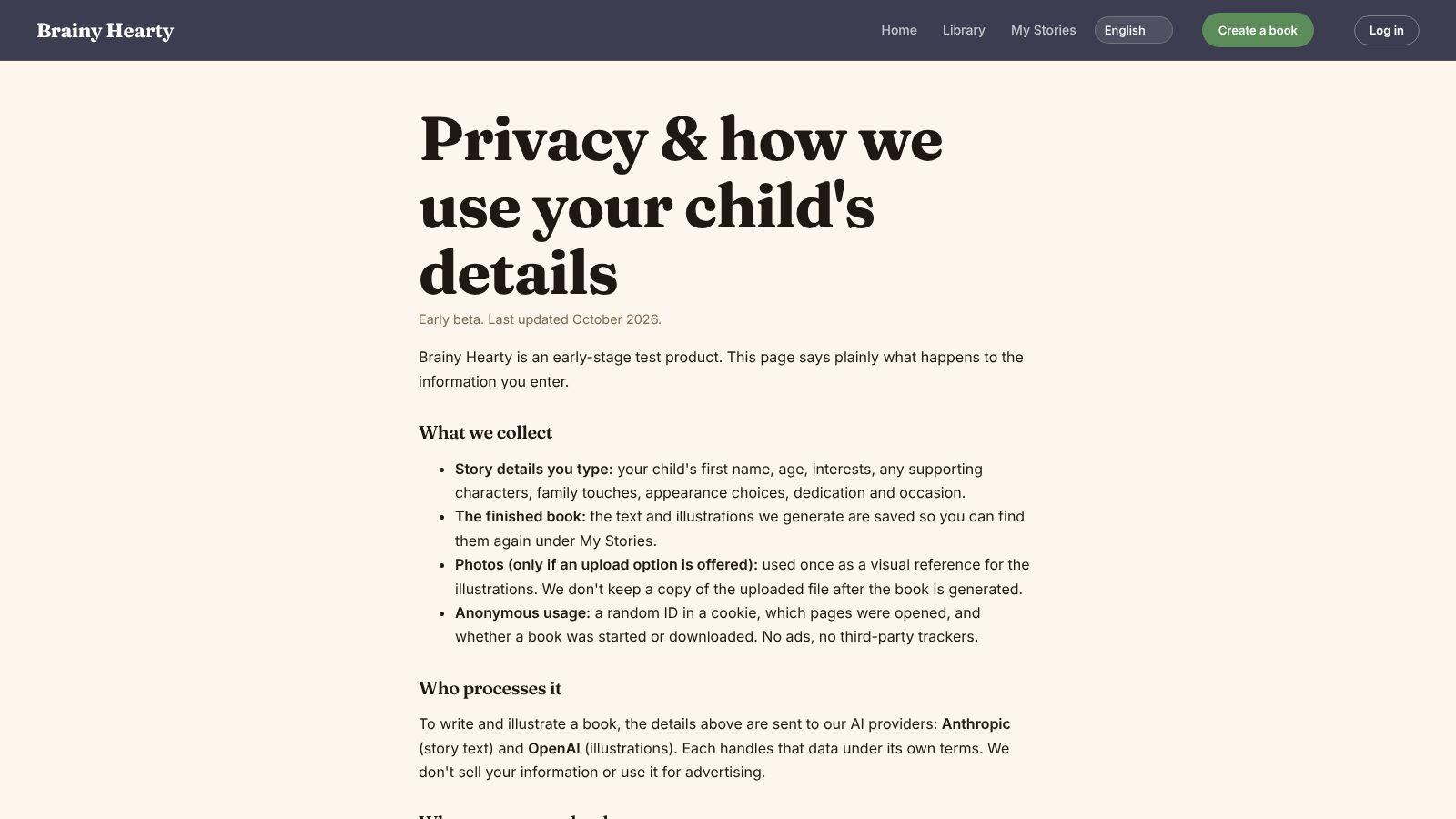
Privacy, in plain language
Execution & collaboration
- Led a team of 4 end to end: product vision, user interviews and journey mapping, roadmap and MVP, content and art guidelines and rubrics, and design with AI.
- Shipped a 4-step creation flow: art style, characters, story, and generate storybook.
- Curated a library of 12 ready-made titles across the six pillars, in prose and poetry for ages 2–10.
- Built consistency into the pipeline: a character reference sheet, character previews, seven style presets, and a shared scene descriptor for every story.
- Added an automatic text check on every page, with one-click regeneration before the PDF can be downloaded.
- Launched an invite-only early beta in English, Vietnamese, and Spanish, with a print-ready PDF and a My Stories shelf.